
Start from a template.
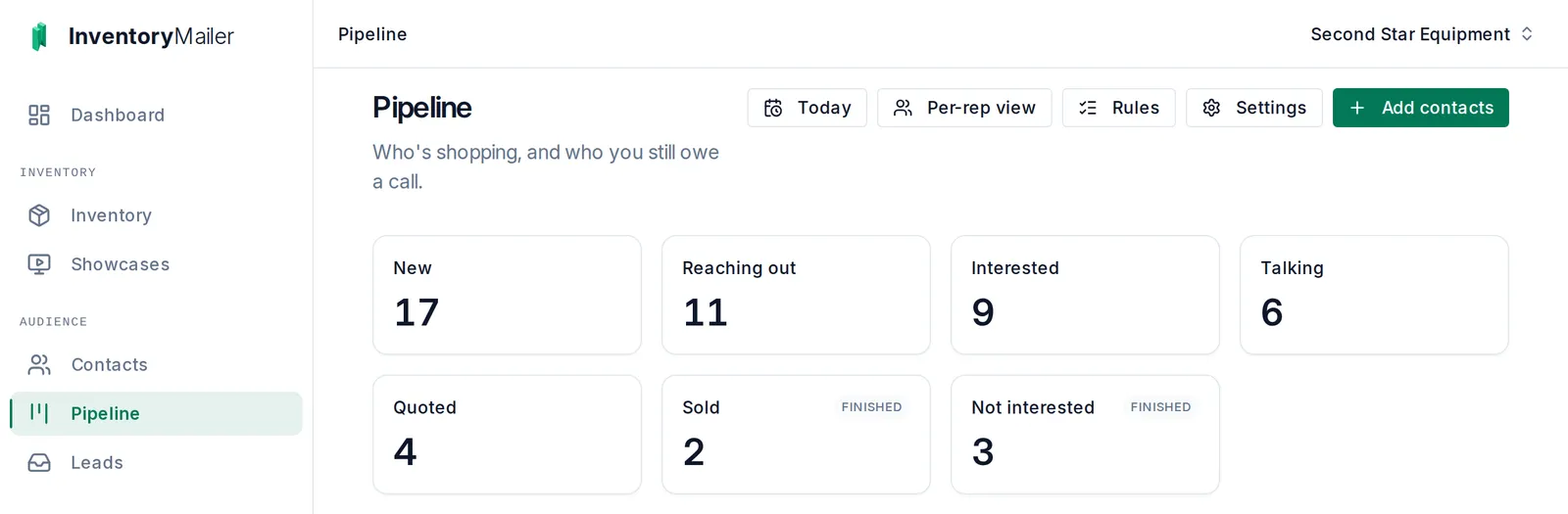
Stages like New, Interested, Quoted, and Sold, ready to use. Rename any of them, add your own, or start from scratch.
When someone clicks an item in your email or asks about one, they move up your pipeline on their own. Your reps open one page and see who to call first, instead of guessing from a spreadsheet.
Stages like New, Interested, Quoted, and Sold, ready to use. Rename any of them, add your own, or start from scratch.
Email someone new and they move to Reaching out. Click an item and they move to Interested. Ask about one and they are added to your pipeline.
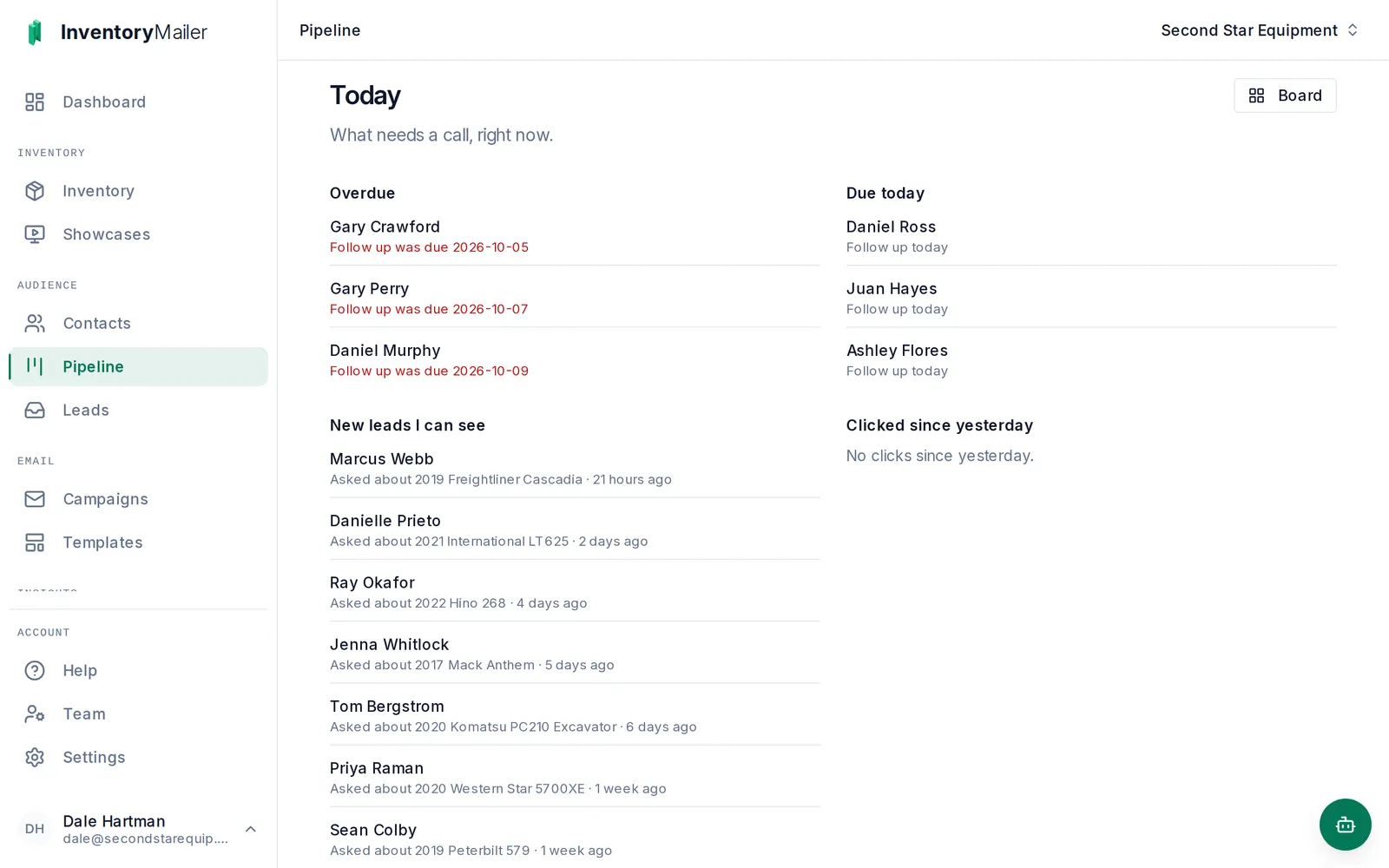
Follow-ups that are overdue or due today, new leads, and everyone who clicked since yesterday, on one page.
Rules only move people forward. When you move one person by hand, the rules leave that move alone for two weeks by default, so an automatic rule never undoes a call you just made. Every rule reads as a plain sentence you can switch off or rewrite. And because it is one stage for each contact, fed by how they respond to your email, it sits happily alongside a CRM if you already have one.
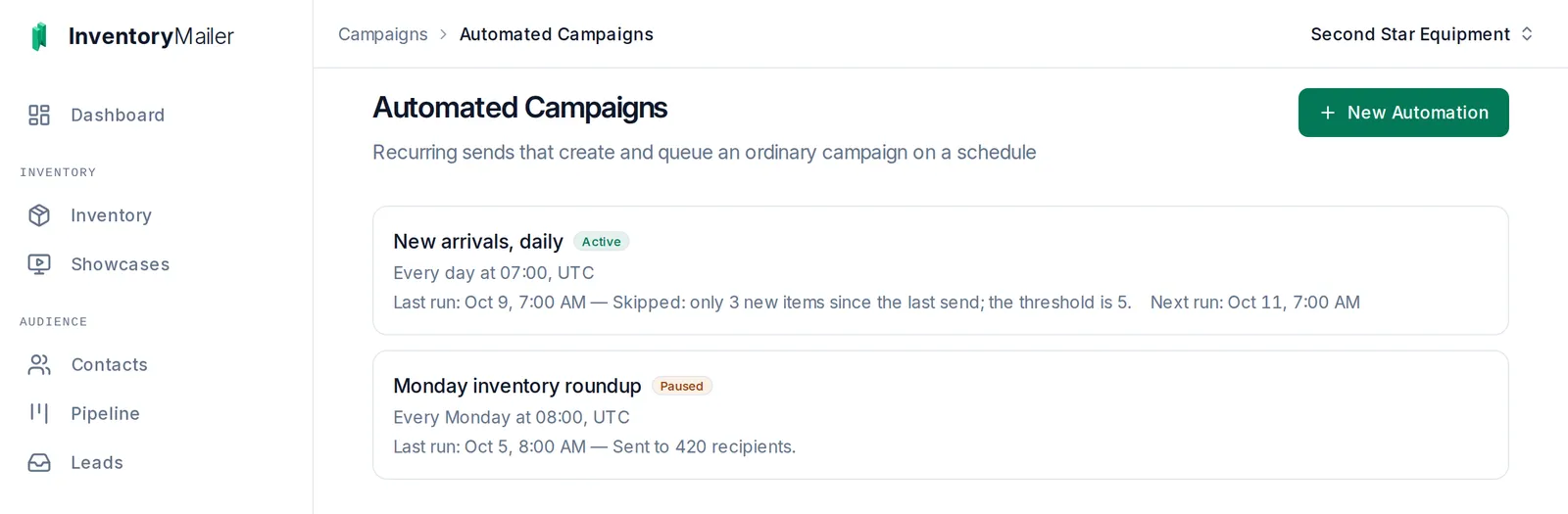
Set it once: every Monday at 9, or every morning but only when at least five new items have come in. A run with nothing new is skipped, not sent empty, and every run is listed with what it did.
Each send is a real campaign under your normal monthly allowance, so the clicks it earns move people along the pipeline like any other email.
When you build a campaign, send it only to people in Interested and Talking, or leave out everyone already in Sold. The price drop goes to the buyers it might move.
The pipeline and automated campaigns are on every plan, including Starter. Set one up during your trial and send your next email into it.